Keybinding
🇵🇱 Wersja polska — see the English page
Keybinding allows you to set keyboard keys for in-game actions. Click X to clear entry. NOTE: Movement uses both ArrowUp and W keys to move UP/North (diagonally up to the right). Each Keybind can have two keys to activate that action but keys become exclusive to that action.
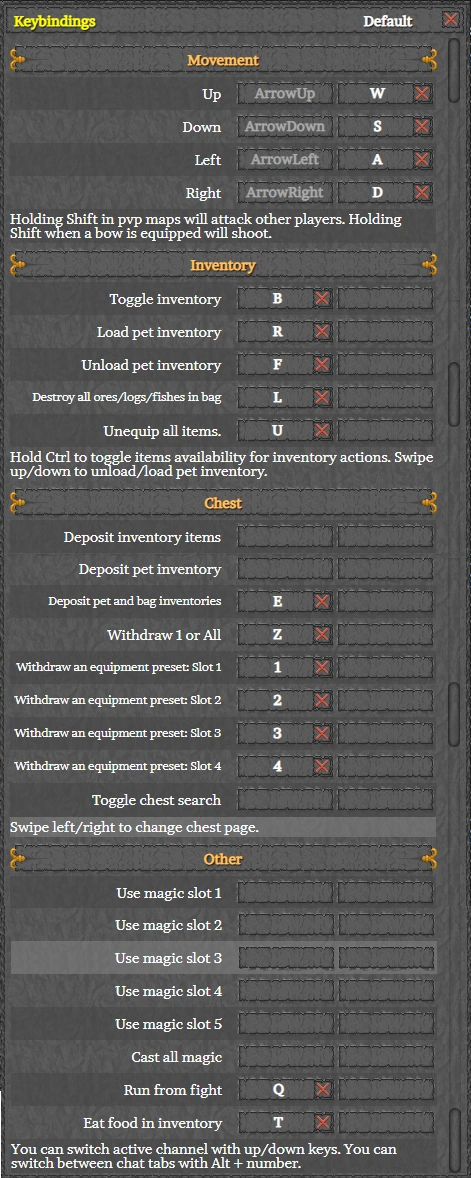
Movement
Pre-set with Arrow and standard WASD movement keys.
Up - North, Down - South, Left - West and Right - East
Inventory
- Opens or closes inventory
- Load pet from Inventory
- Unload pet to Inventory
- Destroy gathered items - Powermining
- Unequip Inventory items - Equipped & *Favorited items stay in Inventory when you Deposit into Chest
Chest
-
Deposit limited to personal Inventory
-
Deposit limited to pet inventory
-
Deposit pet and bag
-
Remove selected item from chest to Inventory

-
One preset available to all. Three more for Premium accounts. NOTE: 1-4 were reassigned
-
Search chest or click Search at top of Chest
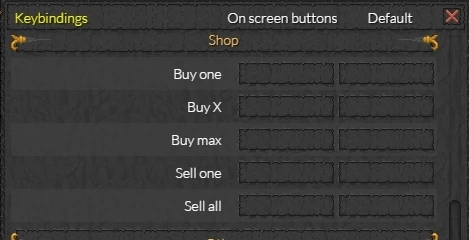
Shop
- Buy one
- Buy X
- Buy Max
- Sell one
- Sell all
Other
- Cast Magic spells for pouches with from 1 to 5 slots - Pre-set with numbers 1-5
- Cast all magic manually - Autocast preferred.
- Run from fight - stops battle without moving
- Eat food if injured beginning with first food in Inventory.
*Favorited
Ctrl + click an item in your Inventory to 'Favorite' that item in your Inventory. Item will not Deposit into Chest or Pet with keybind commands. Ctrl + click an item in your Chest to 'Favorite' that item in your Chest. Allows for Sort options to be in effect such as Outlining, Highlighting and moving items to first page.